Selecting Application
Script builder can create batch commands for Marker or PDS or both together, in the same script.
The first step is always selecting the application so that the commands relevant for the selected application will be available.
To select the application:
-
Open Script Builder.
-
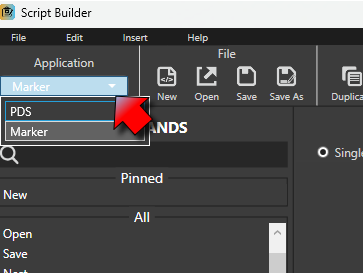
Under Application, on the top left, click to select Marker or PDS:
-
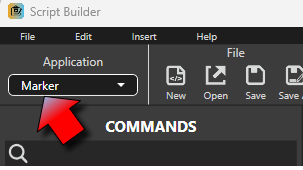
The selection takes effect:
-
Following the selection, the available commands correspond to the current application.
 See also: Optitex Script Builder overview