Adding Tags to Presentation Boards
You can add tags to presentations boards to search and filter by.
To add tags to a boards:
-
Go to a folder with presentation boards.
-
Select one or more boards.
-
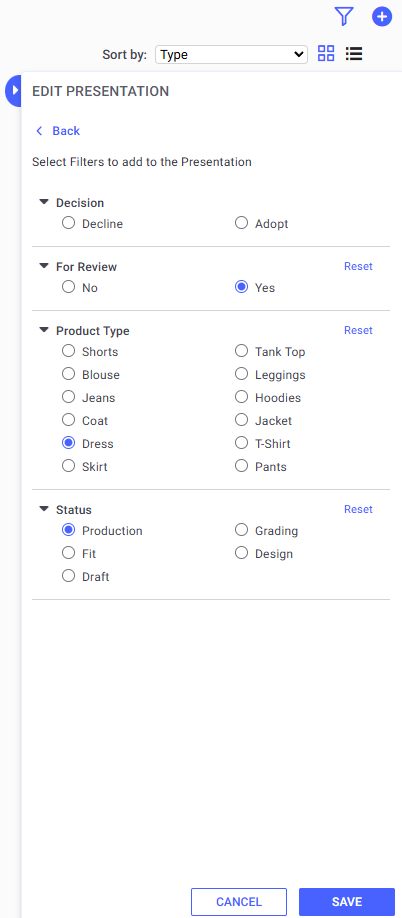
Right click and select Edit. The EDIT PRESENTATION panel opens on the right.
-
At the bottom of the panel, click Add Filters The filters options open.
-
Make your selections.
-
Click Save.
-
Your Presentation board is now tagged.
 See also:Presentation Board Overview